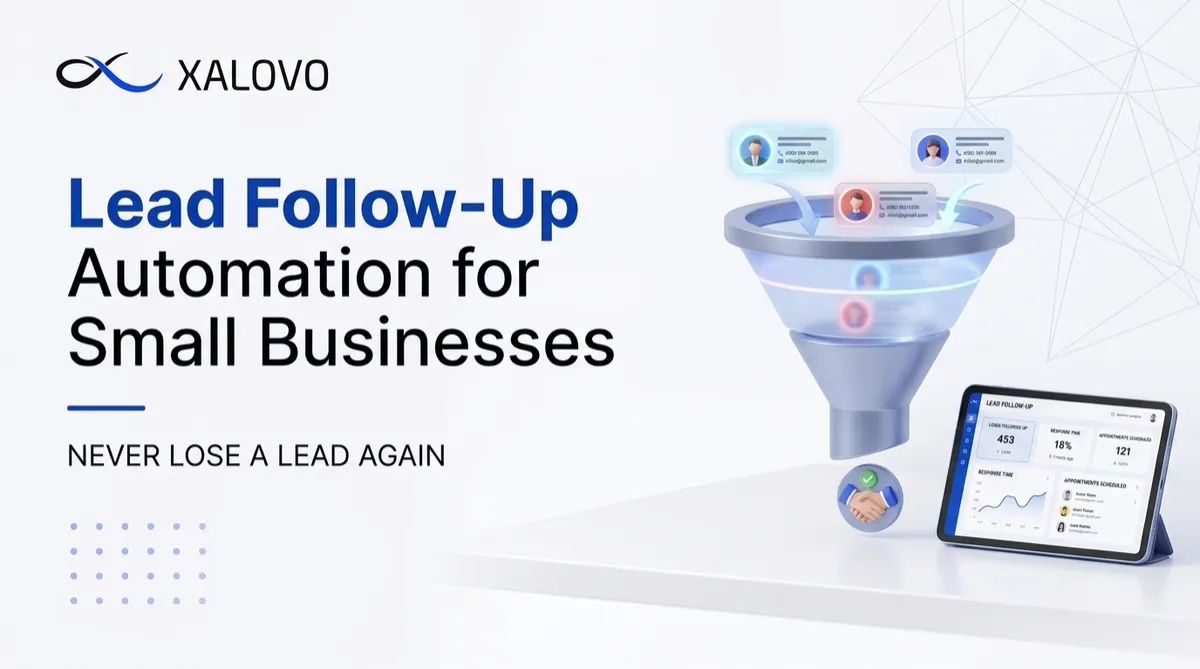
Lead Follow-Up Automation for Small Business | Xalovo AI
Most small businesses don’t lose customers because their service is poor. They lose them because someone else replied first.
Think about how people look for a business today. They search online, open two or three websites, and send a message or make a call to whoever looks right. Then they wait. If nobody answers within a few minutes, they move on to the next name on the list. By the time you call back, they may have already booked with a competitor.
Lead follow-up automation fixes this problem. It makes sure every inquiry gets an immediate, consistent and helpful response, even when your team is busy, on another call or offline for the night. In this guide, we’ll explain what lead follow-up automation is, why small businesses lose leads without it, how it works step by step, and how to set it up the right way.
What Is Lead Follow-Up Automation?
Lead follow-up automation is a system that automatically contacts, nurtures and tracks new leads using text messages, emails, chatbots and voice calls, based on rules you define. Instead of relying on someone to remember to follow up, the system does it for you, every time.
A “lead” is anyone who shows interest in your business. This could be a person who:
Fills out a contact form on your website
Calls your business phone number
Sends a message through your website chatbot
Messages you on Facebook or Instagram
Requests a quote or a consultation
A typical automated follow-up system can:
Send an instant text or email when a form is submitted
Reply automatically to missed calls with a friendly text message
Ask simple questions to understand what the lead needs
Book appointments directly into your calendar
Send reminders before appointments to reduce no-shows
Continue following up with leads who haven’t responded
Notify your team when a lead is ready to talk
Keep a full record of every conversation in one place
The goal is not to replace human conversation. The goal is to make sure no lead is ever left waiting, so that your team can spend its time on the conversations that matter most.
Why Small Businesses Lose Leads Without Automation
Small teams are stretched thin. The owner is with a client, the receptionist is on another line, and the inquiries that arrive in the evening wait until the next morning. These are the most common ways leads slip away.
1. Slow Response Times
A person who contacts your business is at their most interested in that moment. They have a problem, they are actively looking for a solution, and they are probably contacting more than one business. Every hour of delay gives a competitor a chance to respond first, and the first business to reply often wins the job.
2. Missed Calls
For many businesses, the phone is still the most important lead source. But no team can answer every call. Staff go to lunch, lines get busy, and calls come in after hours. A missed call with no follow-up usually means a lost customer, because most people will not leave a voicemail. They simply call someone else.
3. Inconsistent Follow-Up
When follow-up depends on memory, it becomes unpredictable. During a quiet week, a lead might get three thoughtful messages. During a busy week, the same lead might get none. This inconsistency leads to uneven results and makes it hard to understand what is really working.
4. Leads Scattered Across Different Places
Inquiries arrive from many directions: website forms, phone calls, emails, social media messages and chat widgets. When these live in different inboxes and apps, leads get forgotten. Someone replies to one message, but the three others sit unread.
5. No Follow-Up After the First Contact
Many leads are not ready to book on the first conversation. They need time, a reminder, or an answer to one more question. Without a system for follow-up, these leads quietly disappear, even though they were genuinely interested.
6. Manual Work That Drains Your Team
Copying details into spreadsheets, sending reminders by hand and chasing unanswered messages takes hours every week. This is time that could be spent serving existing clients or growing the business.
How Lead Follow-Up Automation Works Step by Step
Here is a simple example of how an automated workflow runs from the moment a lead arrives.
Step 1: A lead comes in. The person fills out a form, calls your number, or sends a message through your website chatbot or social media.
Step 2: Instant response. Within seconds, the system sends a friendly text or email confirming that you received their inquiry. For example: “Hi Sarah, thanks for contacting us! We got your message and will be in touch shortly. In the meantime, would you like to book a time that works for you?”
Step 3: Lead capture and tagging. The lead’s details are saved automatically in your CRM. The system tags them based on their source, service interest or location so your team knows exactly where they came from.
Step 4: Qualification. A few quick questions help you understand what the lead needs, how urgent it is, and the best way to reach them. This can happen through a chatbot, a text conversation or an AI voice agent.
Step 5: Booking. The lead picks a time from your live calendar. No back-and-forth emails, no phone tag.
Step 6: Confirmation and reminders. The system sends a confirmation right away, then reminders before the appointment. This alone can significantly reduce no-shows.
Step 7: Nurturing. If the lead doesn’t book, gentle follow-ups continue over the next few days. These might include a helpful tip, an answer to a common question, or a simple check-in message.
Step 8: Team handoff. When a lead is ready for a real conversation, your team is notified with the full conversation history, so nobody has to ask the same questions twice.
Step 9: Post-appointment follow-up. After the appointment, the system can send a thank-you message, request a review, or move the client into the next stage of your process.
Real-World Examples of Automated Follow-Up
To make this practical, here are some everyday scenarios where automation makes a big difference.
The missed call text-back. A potential customer calls your office at 6:30 PM. Nobody answers. Within seconds, they receive a text: “Sorry we missed your call! How can we help? You can reply here or book a time directly: [link].” The customer replies, and the conversation continues instead of ending.
The website form response. Someone submits a quote request at 11 PM. Instead of waiting until morning, they immediately get a confirmation and a link to book a consultation. By the time your team arrives, the appointment may already be on the calendar.
The unanswered inquiry reminder. A lead received your quote but never replied. Two days later, a friendly automated message checks in. A week later, another follow-up shares a short answer to a common question. Many leads respond to this second or third touch.
The appointment reminder sequence. A client books a consultation for Thursday. They receive a confirmation right away, a reminder one day before, and another a few hours before the appointment. If they need to reschedule, they can do it with one click.
The review request. After a successful appointment, the system sends a short message asking for a review. Happy clients are far more likely to leave one when asked at the right time, which helps your reputation and local search visibility.
Key Benefits for Small Businesses
Faster replies and better conversions. The business that responds first has a strong advantage. Automation means you are always first.
More time for real work. Your team stops chasing leads manually and focuses on serving clients and closing deals.
A consistent customer experience. Every lead gets the same professional follow-up, regardless of the day, the time or how busy the team is.
Lower operating costs. Automation handles repetitive tasks around the clock without the cost of hiring more staff or paying for after-hours coverage.
Fewer no-shows. Automated reminders keep appointments top of mind and make rescheduling easy.
Better visibility into your pipeline. You can see exactly which leads came in, who replied, which ones booked, and where each lead is in the process.
Higher return on marketing spend. If you are paying for ads, SEO or referrals, every lead is valuable. Automation helps you get more out of the leads you already pay to generate.
Room to grow. As your business grows, the same system can handle more leads without adding the same amount of manual work.
Which Businesses Benefit Most?
Lead follow-up automation works especially well for businesses where a single inquiry can turn into a high-value client or a recurring customer.
Law firms and legal practices: Potential clients often contact several firms at once. A fast response and easy consultation booking can decide who gets the case.
Medical and dental clinics: Patients expect quick answers, easy booking and reminders that reduce missed appointments.
Home service companies: Plumbers, electricians, HVAC and cleaning companies are often on the job when calls come in. Automation keeps leads warm until they can respond.
Real estate agencies: Buyers and sellers want immediate replies, and the speed of follow-up matters a great deal.
Agencies and consultants: Automation helps manage discovery calls, proposals and ongoing nurturing without a large admin team.
Beauty, wellness and fitness businesses: Appointment-based services benefit from automated booking, reminders and re-engagement messages.
If your business depends on phone calls, forms or appointments, automation can make a real difference.
How AI Makes Follow-Up Smarter
Basic automation sends the same message to everyone. It works, but it can feel rigid. AI-powered automation goes much further.
With AI, your system can:
Understand what the lead is actually asking, in natural language
Answer common questions about your services, pricing ranges and availability
Ask relevant follow-up questions based on the lead’s answers
Qualify the lead and decide whether to book, nurture or hand off to a human
Adjust the tone and content of messages to feel more personal
Handle conversations by text, chat or voice
When AI is combined with other tools, you get a complete lead system:
Your AI chatbot captures and engages visitors on your website
Your AI voice agent answers calls, qualifies callers and books appointments 24/7
Your automation workflows follow up, send reminders and nurture leads until they become booked appointments
Your review automation collects feedback after the job is done
Each piece supports the others, and nothing falls through the cracks.
Common Mistakes to Avoid
Automation is powerful, but only when it is set up thoughtfully. Watch out for these common mistakes.
Sounding robotic. Long, formal or generic messages feel impersonal. Keep your messages short, warm and conversational.
Sending too many messages. Following up is good. Overwhelming a lead is not. Space your messages out and stop when the lead replies or opts out.
Ignoring consent and privacy rules. Messaging rules vary by country and region. Make sure you have proper consent, include opt-out options, and follow the regulations that apply to your business.
Having no human handoff. Automation should know when to step aside. If a lead asks a complex question or seems upset, a real person should take over quickly.
Setting it up and forgetting it. The best workflows are reviewed and improved regularly. Check your results, read real conversations and adjust your messages.
Trying to automate everything at once. Start small. A complicated system that nobody understands is worse than a simple one that works.
Tips for Getting Started
Map your current lead journey. Write down where leads come from and what happens after they contact you. Look for the points where leads get delayed or lost.
Start with one workflow. A missed call text-back or an instant form response is a great first step. Once it works, expand to reminders and nurturing.
Write messages in your own voice. Make them sound like your team, not like a template.
Set clear handoff rules. Decide exactly when a lead should be passed to a real person, such as when they ask for pricing or say they are ready to book.
Connect your calendar and CRM. Booking and tracking work best when everything lives in one system.
Track the right numbers. Watch response time, booking rate, no-show rate and the number of leads that become clients.
Review and refine every month. Small improvements add up to big results over time.
How to Measure Success
Once your automation is running, these metrics show whether it is working:
Average response time: How quickly do leads get their first reply?
Lead-to-appointment rate: What percentage of leads book a consultation?
No-show rate: Are reminders reducing missed appointments?
Missed call recovery rate: How many missed calls turn into conversations?
Lead-to-client conversion rate: How many leads become paying clients?
Review count and rating: Is your online reputation growing?
Even modest improvements in these numbers can have a significant impact on revenue over the course of a year.
Ready to Stop Losing Leads?
Every unanswered inquiry is revenue left on the table. With the right automation in place, your business can respond instantly, follow up consistently and book more appointments without adding to your workload.
Xalovo AI helps small businesses build smart automation workflows that capture, nurture and convert leads around the clock. From AI chatbots and voice agents to automated follow-ups and review generation, we build systems that work quietly in the background while you focus on running your business.
👉 Book a Demo Call to see how Automation AI can work for your business.


